
Once you are logged into your Website Builder you can select a block and there you will see an icon on the top left side named Block Settings. There you will be able to find the Block Spacing options.
(Do not forget to click Save changes)
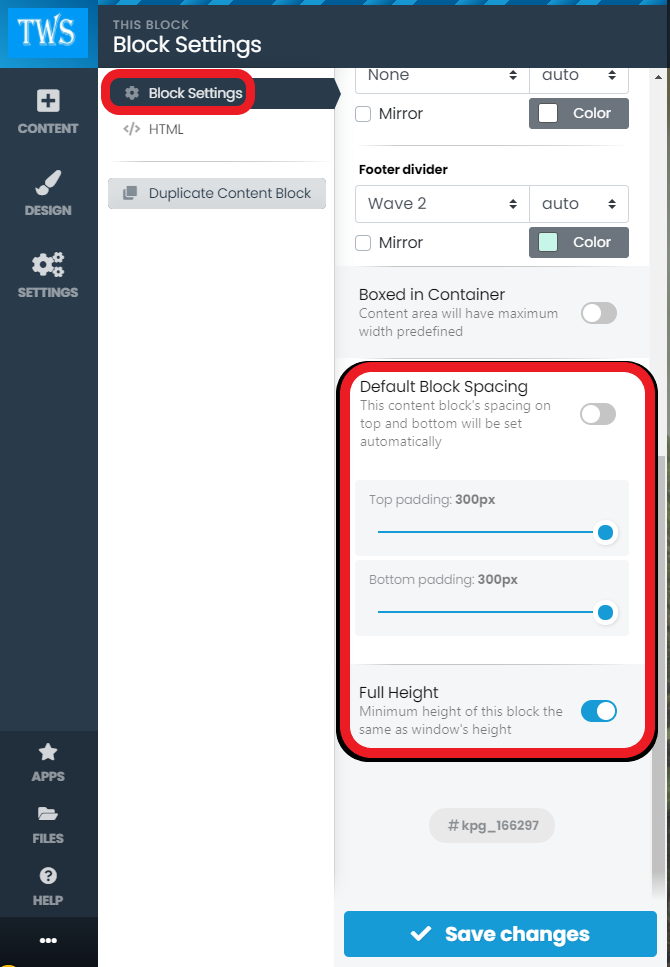
Once you are logged into your Website Builder you can select a block and there you will see an icon on the top left side named Block Settings. There you will be able to find the Block Spacing options.
(Do not forget to click Save changes)
Once you are logged into your Website Builder you will see help icon on the left bottom side of...
Once you are logged into your Website Builder you will see a content icon on the top left side of...
Once you are logged into your Website Builder you will see the settings icon on the top left side...
Once you are logged into your Website Builder you will see the settings icon on the top left side...
Once you are logged into your Website Builder you will see the Settings icon on the top left side...
Powered by WHMCompleteSolution