
Once you are logged into your Website Builder you will see the Settings icon on the top left side of the menu. Here you will find the Logo and Website Title which will then give you the option to Create a Logo.
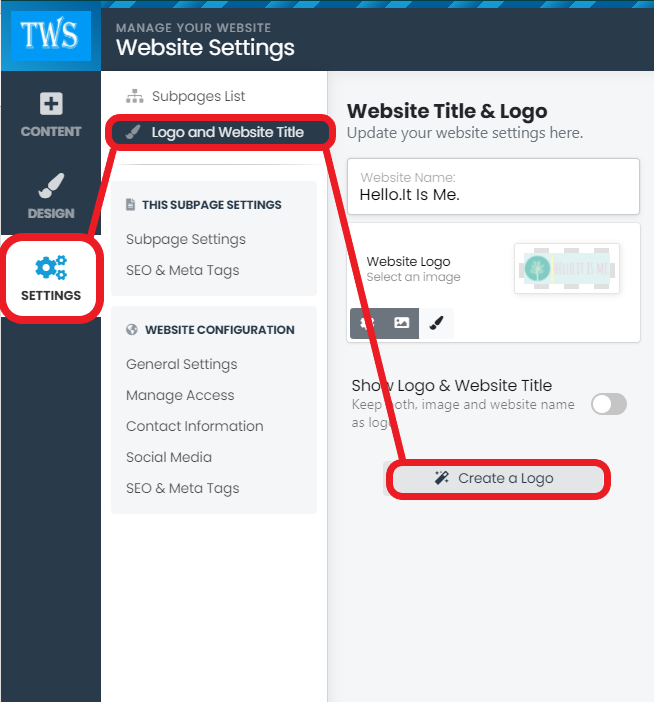
When you click on Create a Logo you will have to option to choose through automatically generated Logos.

When you have chosen a logo, you will then be redirected to Logo Maker where you will be able to edit and change your logo to your liking.
Once you are satisfied you can download your very own logo and upload it to your website.
