Menu Designer

Once you are logged into your Website Builder you will see the Design icon on the top left side of the menu. There you will see the Menu Designer icon.
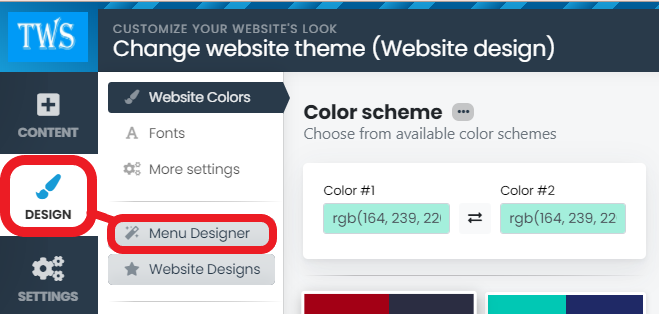
Menu Designer

Here you can choose to view the Menu Templates. Once chosen you will have the option to change the colours, font, size, shape and borders.
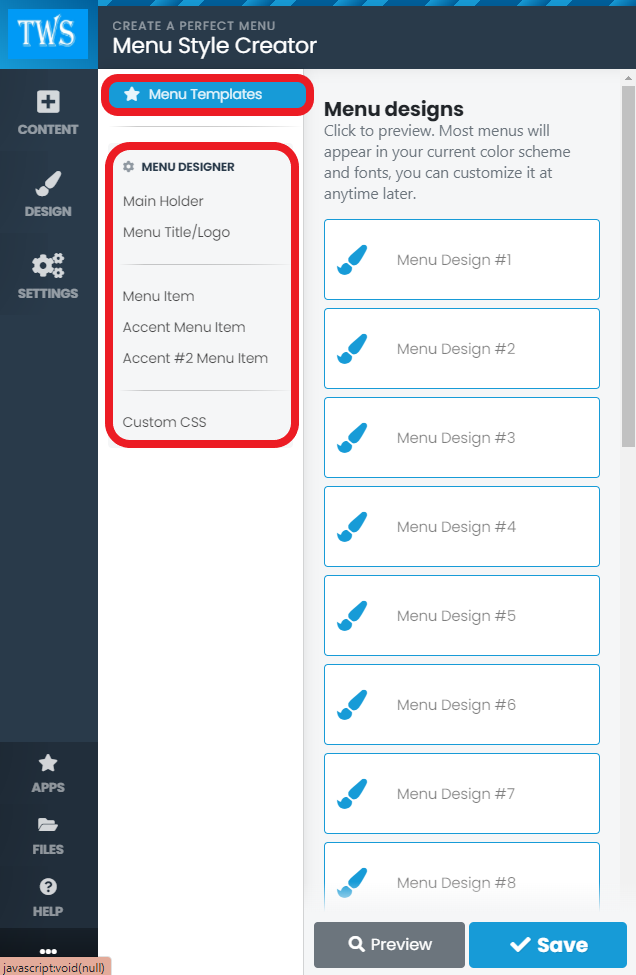
Menu Designer 2

For example:

MD 3

MD 4

MD5

You can also preview and scroll through the menu templates to choose one to your liking

MD6


  • 0 Users Found This Useful
Was this answer helpful?

Related Articles

Block Settings - Resizing

Once you are logged into your Website Builder you can select a block and there you will see an...

Introduction Video

Once you are logged into your Website Builder you will see help icon on the left bottom side of...

Adding a Video

Once you are logged into your Website Builder you will see a content icon on the top left side of...

Change Website Favicon

Once you are logged into your Website Builder you will see the settings icon on the top left side...

Change Your Open Graph Image

Once you are logged into your Website Builder you will see the settings icon on the top left side...


